

What Wayfield does
From an idea to a full room to a workshop
that actually ran.
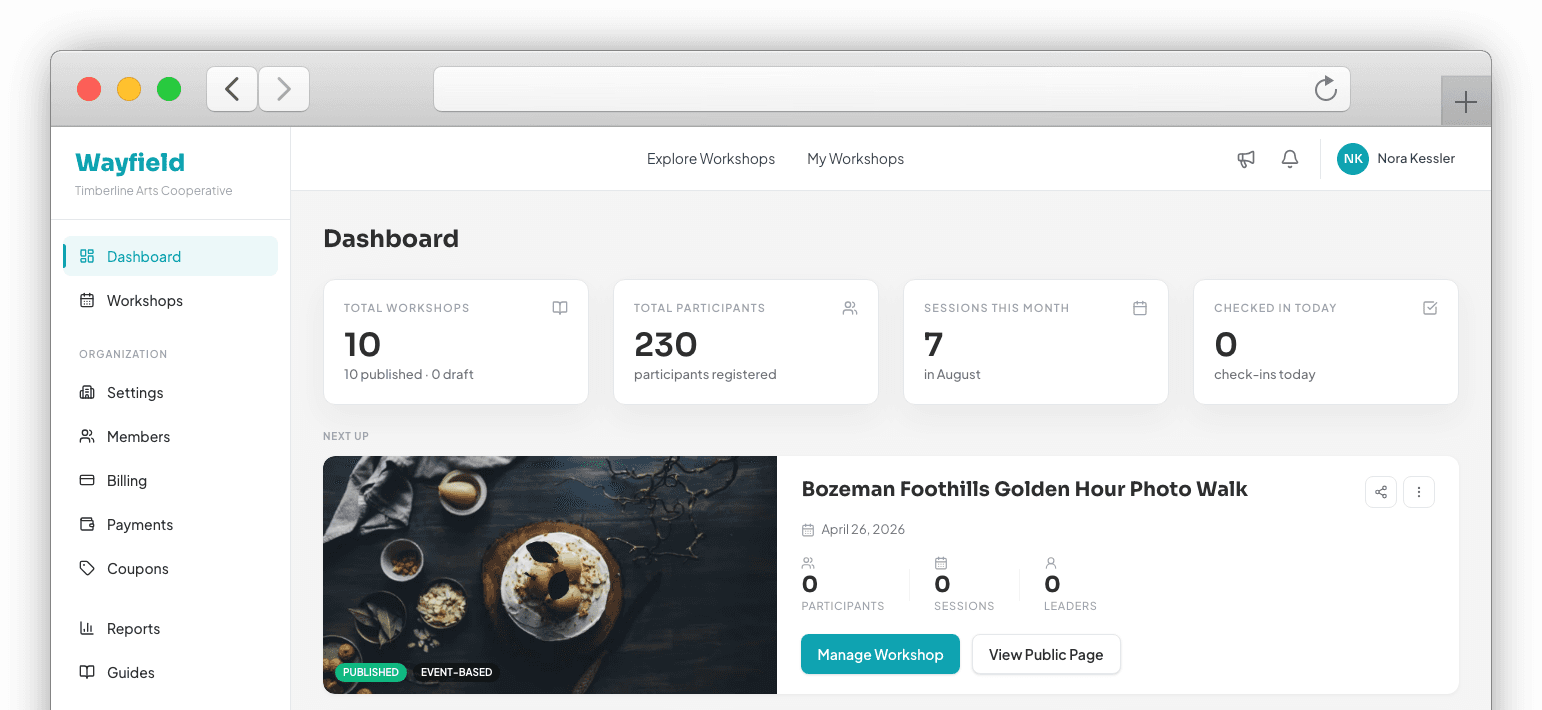
Wayfield covers the parts of a workshop that have nothing to do with teaching it — enrollment, payment, sessions, leaders, rosters, check-in — and tells you how it's going while there's still time to change it.
Build it so people can find it and pay for it.
Everything that happens before a participant sees your workshop decides whether they register.
Workshop builder
Title, description, gallery, location, what to bring. Draft it, refine it, publish when it's ready.
Sessions and capacity
One session or twelve. Set capacity per session, not per workshop, so your morning class can cap at six while the field walk takes twenty.
Pricing that fits how you sell
Fixed price, tiered pricing, early-bird windows, coupon codes, or free. Set it once.
A page you can send anywhere
Every workshop gets a public page, a shareable link, and a QR code you can put on the studio wall.
Know where you stand without building a report.
Nine of twenty is fine four weeks out and a serious problem four days out.
Fill pace
Wayfield tracks how fast your seats are going and surfaces a plain-language update when the pace drops off. You find out in week three, not the week of.
Readiness
One check before you go live: leader confirmed, logistics filled in, materials listed, capacity realistic.
Enrollment view
Who's in, which sessions they picked, what they paid, what's still owed. One screen.
Weather outlook
For outdoor workshops, Wayfield surfaces a weather outlook for your session date and location so you can communicate proactively — not scramble the morning of.
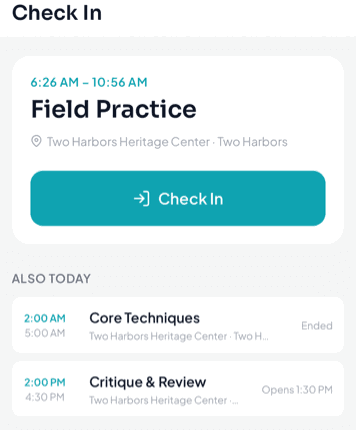
The day runs on rails.
Join by code or QR
Participants enter a code or scan. They're on the roster in under a minute.
Leader rosters
Each session leader sees the people in their session. Not the whole workshop, not the payment data.
Check-in
Mark people present as they walk in. You see it happen from wherever you are.
Refunds with a paper trail
Set your own cancellation policy. Wayfield handles the mechanics and keeps the record.
You get quoted a number. You keep that number.
One subscription price and one platform percentage. No per-participant fee, no add-on module, no fee category invented next quarter.
Stripe checkout
Card, Apple Pay, Google Pay. Wayfield never touches or stores a card number.
Automatic payouts
Stripe Connect pays out on schedule. No manual transfers.
Participants pay the price you set
The number on your workshop page is the number in the cart. Fees come out of your side, not stacked onto theirs at checkout.
In person, online, or a mix.
Delivery is set per session, so one workshop can meet in a studio, online, or both.
Delivery per session
Mark each session in person, virtual, or hybrid. A single workshop can mix all three.
Meeting links
Participants get the meeting link automatically before a virtual session starts — nothing to send by hand.
Hybrid support
Run an in-person core with online sessions around it, and let participants filter by the format that works for them.
Mobile and voice.
The workshop day is hands-on — and the Wayfield app is rolling out now on iOS and Android, built for exactly that.
Native iOS and Android app
Full organizer and leader experience on your phone — rosters, check-in, notifications, and session management without opening a browser.
Siri shortcuts
Check who's coming, get a session count, or pull up a roster with your voice before walking into the room.
Apple Watch
Glance at attendance and check-in counts from your wrist during the session without reaching for your phone.