
Everything here works in your browser. Accept your invitation, submit session content, see your roster, and check people in — all from the Wayfield website, no app required. The Wayfield app is a handy option for checking people in on the day, but it’s not needed.
Accept your invitation
An organizer invites you by email. Open the invitation and accept it — if you don’t have a Wayfield account yet, you’ll set one up in the same step. (Not the right fit? You can decline from the same email.)
What you can see
Once you’re in, you get the essentials for your session:
- Your roster — the people enrolled in the session you’re leading, with any notes they added when they signed up.
- Session details — timing, location, and anything the organizer flagged for you.
- Attendance — the controls to check people in on the day (see the check-in guide).
What you can’t see
You see only your session — not the whole workshop’s roster, and never any payment or financial data. That’s by design: leaders get what they need to teach, organizers keep the business side.
Your leader dashboard
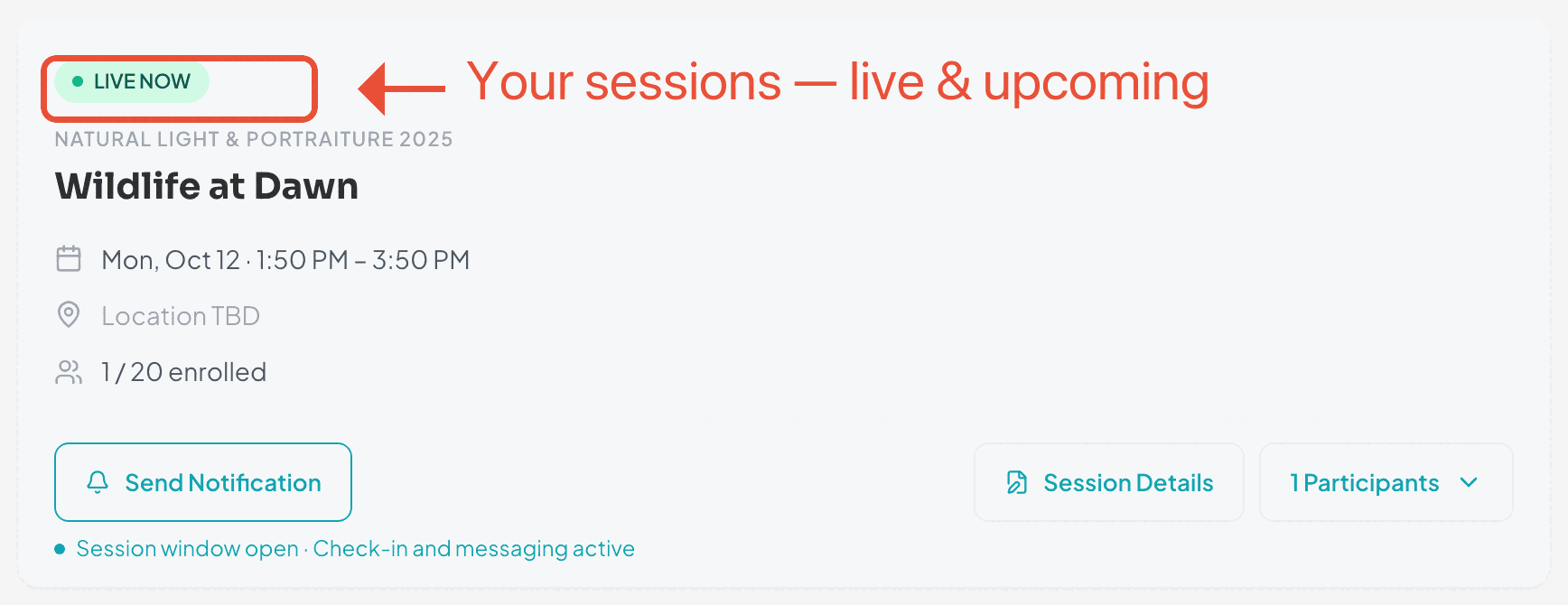
Everything lives in your leader dashboard — today’s and upcoming sessions, each with its roster and check-in. If you also run your own workshops, it’s all the same account; see Leader & organizer on one account.
Ready when you are
Ready to run your sessions?
Sign in to your leader dashboard to submit content, see your roster, and check people in — right in your browser.