
Who can review
Reviews come from people who were actually there. You can leave one once you've registered for a workshop and it has taken place — the option appears about a day after the workshop ends. If you checked in on the day, even better; no-shows can't review.
If the button isn't there yet, the workshop hasn't ended (or it's too soon). And a workshop can only be reviewed once per person.
Find the review screen
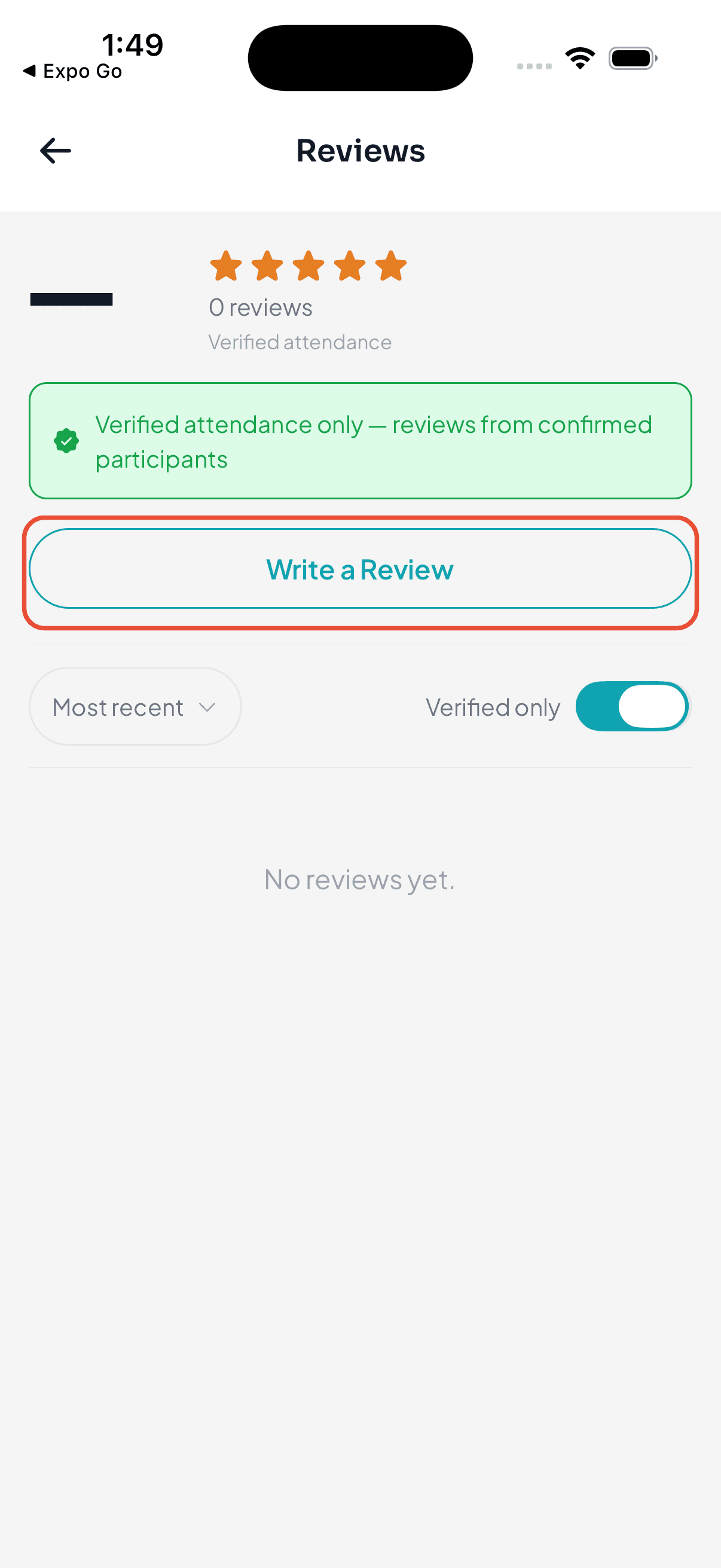
Open the workshop in the app and go to its Reviews screen. If you're eligible, you'll see a Write a Review button at the top — tap it to open the review form.
Write your review
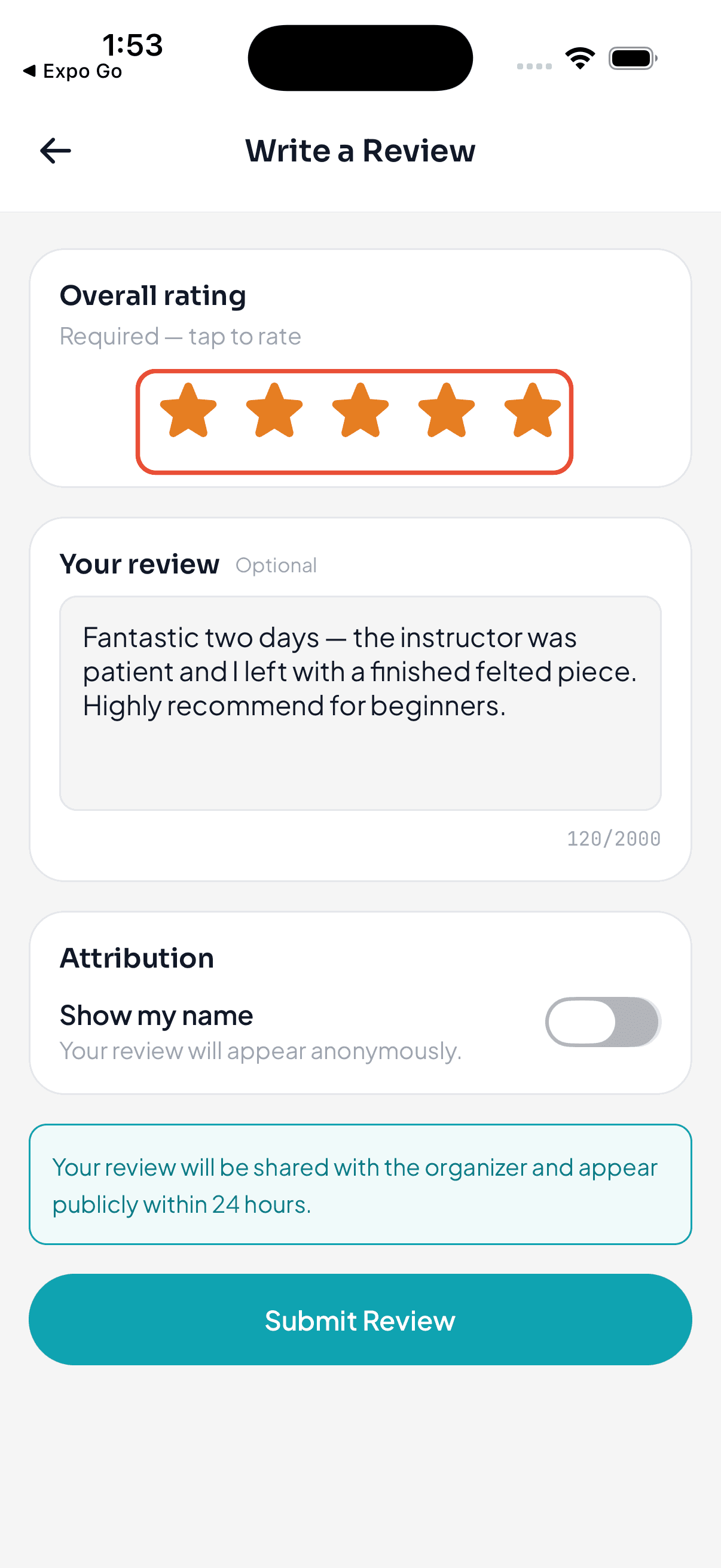
The form has three parts:
- Your rating — tap the stars to give the workshop one to five stars. This is the only required part.
- Your review — optional, but it's the useful bit for future participants. Write anywhere from a sentence to a few paragraphs; there's a live character counter so you can see the limits.
- Your name — reviews are anonymous by default. Flip Show my name if you'd like your name shown alongside it, then enter the name you want displayed.
A short note on the screen reminds you that the organizer can see and respond to your review — so write it the way you'd say it to them.
Submit it
When you're happy with it, tap Submit Review. You'll get a quick confirmation that it was submitted, and the app takes you back to the workshop. That's it — nothing else is needed from you.
What happens next
Your review goes live on the workshop's page after a short hold (about a day) — it publishes automatically; an organizer doesn't have to approve it first. From there the organizer can reply to it publicly or feature it. If a review breaks the rules, an organizer can flag it for Wayfield's Trust & Safety team to look at.
Prefer the web?
You can do all of this from a browser too. See Leave a workshop review for the same steps on the web.
Ready when you are
Get the Wayfield app
Everything participants and leaders need, on iOS and Android.