
Create your account
Start with the basics: your name, email, and a password (at least 8 characters, with an uppercase letter and a number). Agree to the terms and tap Create Account. Prefer not to set a password? You can sign up with a connected account instead.
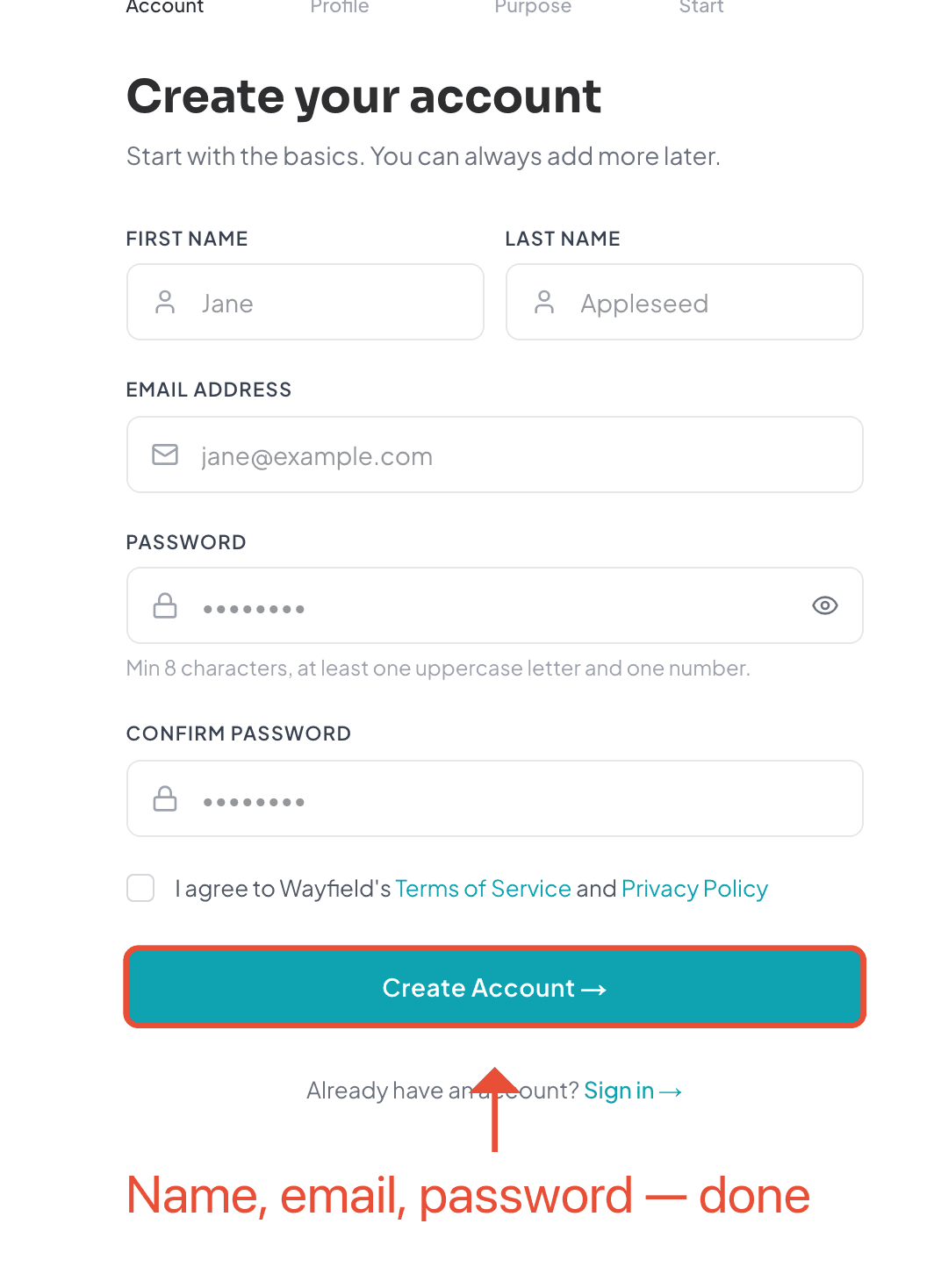
Wayfield sends a verification link to your email — open it to confirm your address. Then the welcome flow walks you through four quick, skippable steps to personalize things.
How you’ll use Wayfield
First, tell Wayfield what brings you here — are you looking to attendworkshops, teach them, or both? This just tailors what you see first; it doesn’t lock you into anything.
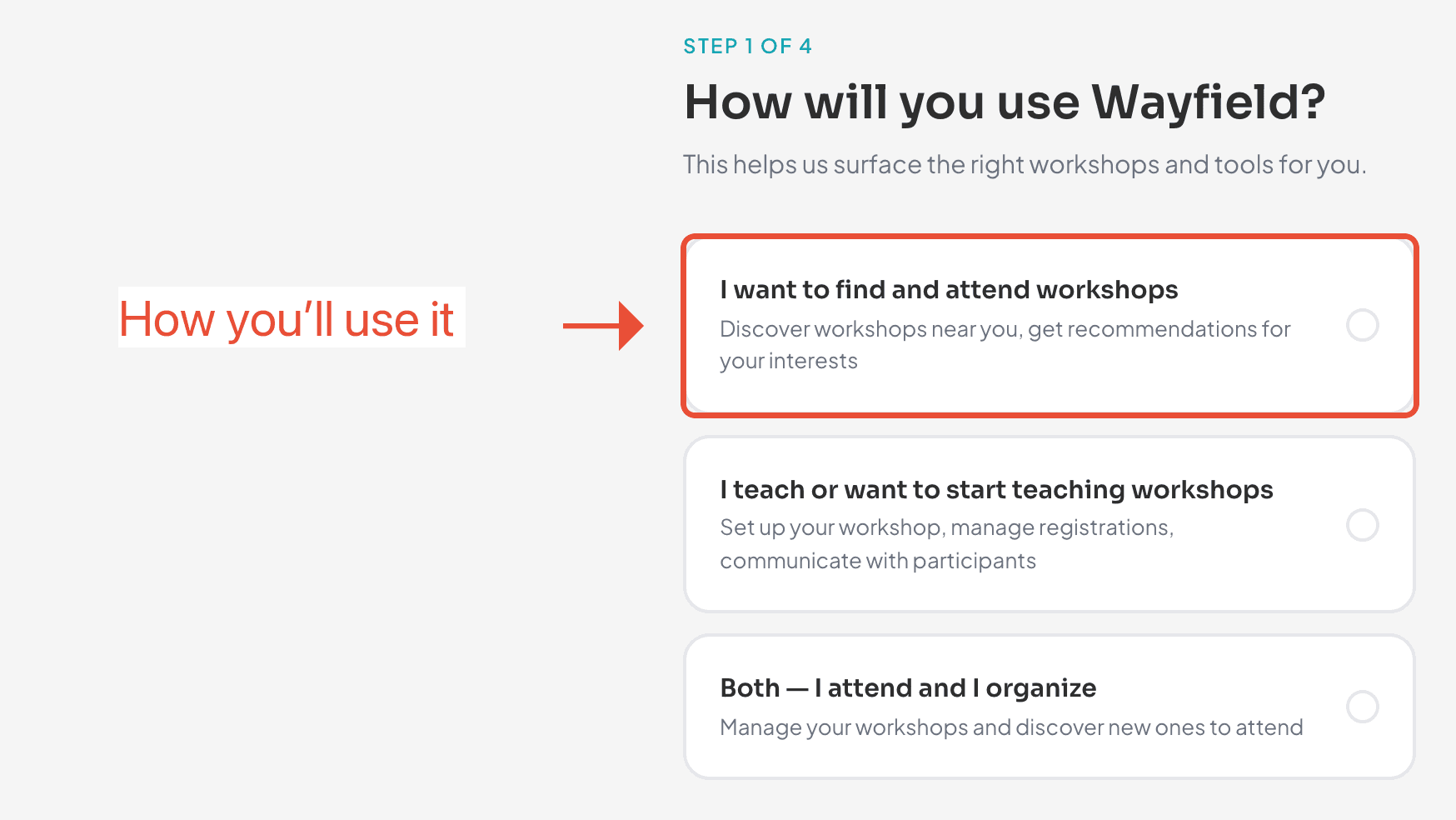
If you choose teach or both, the welcome flow adds a step to set up your organization — your workspace for creating and running workshops. Not ready yet? That is fine. You can create an organization at any time from Profile Settings → Create an organization, so choosing “attend” now never locks you out of teaching later. See the Organizer QuickStart for the full walkthrough.
Pick your interests
Choose the crafts you care about — photography, ceramics, cooking, writing, and more. Your first pick becomes your primary interest, and the whole set shapes what rises to the top on Explore and what lands in your digest. Pick a handful; you can always browse outside them.
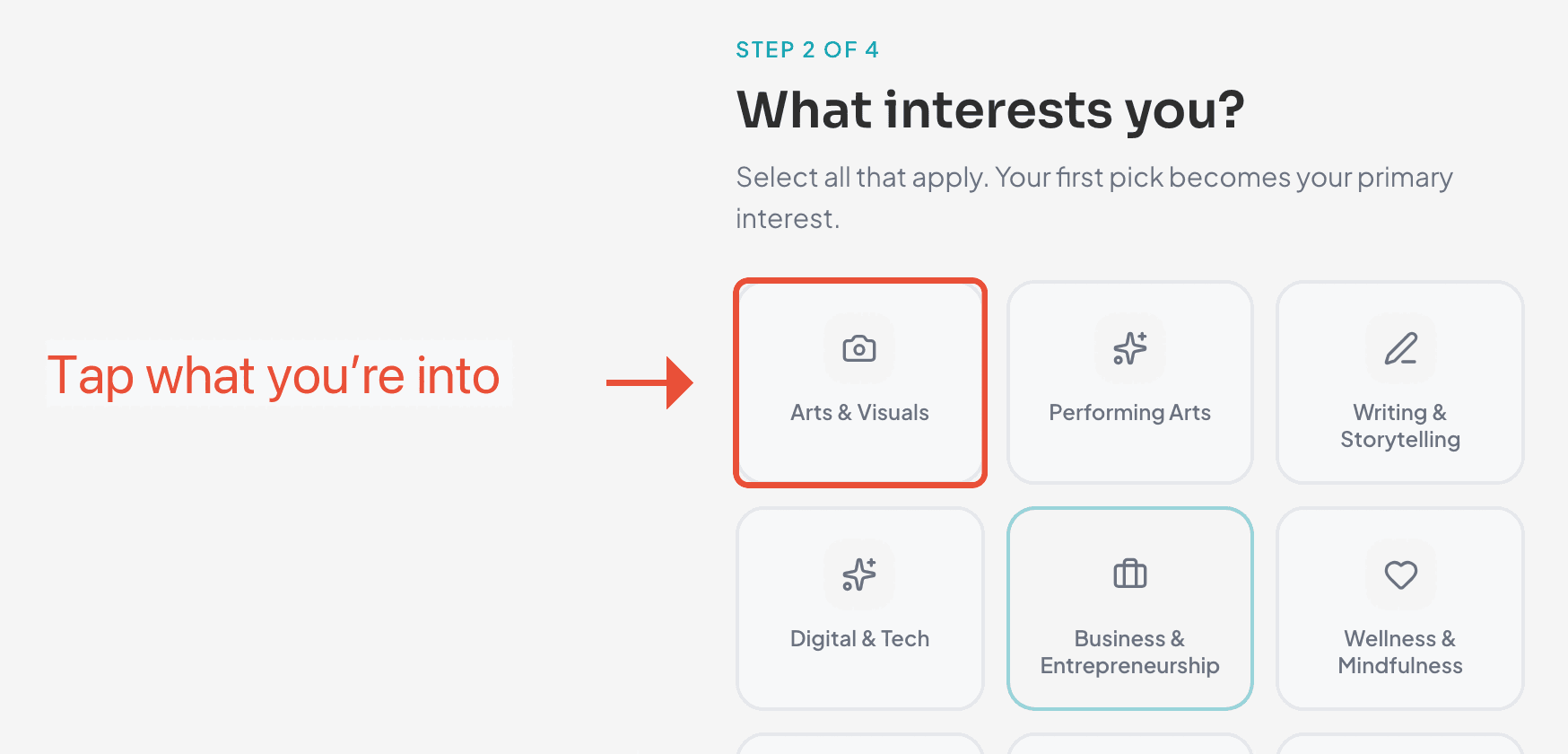
There’s a whole guide on this if you want to go deeper: Find workshops you’ll actually want.
Where you’re based
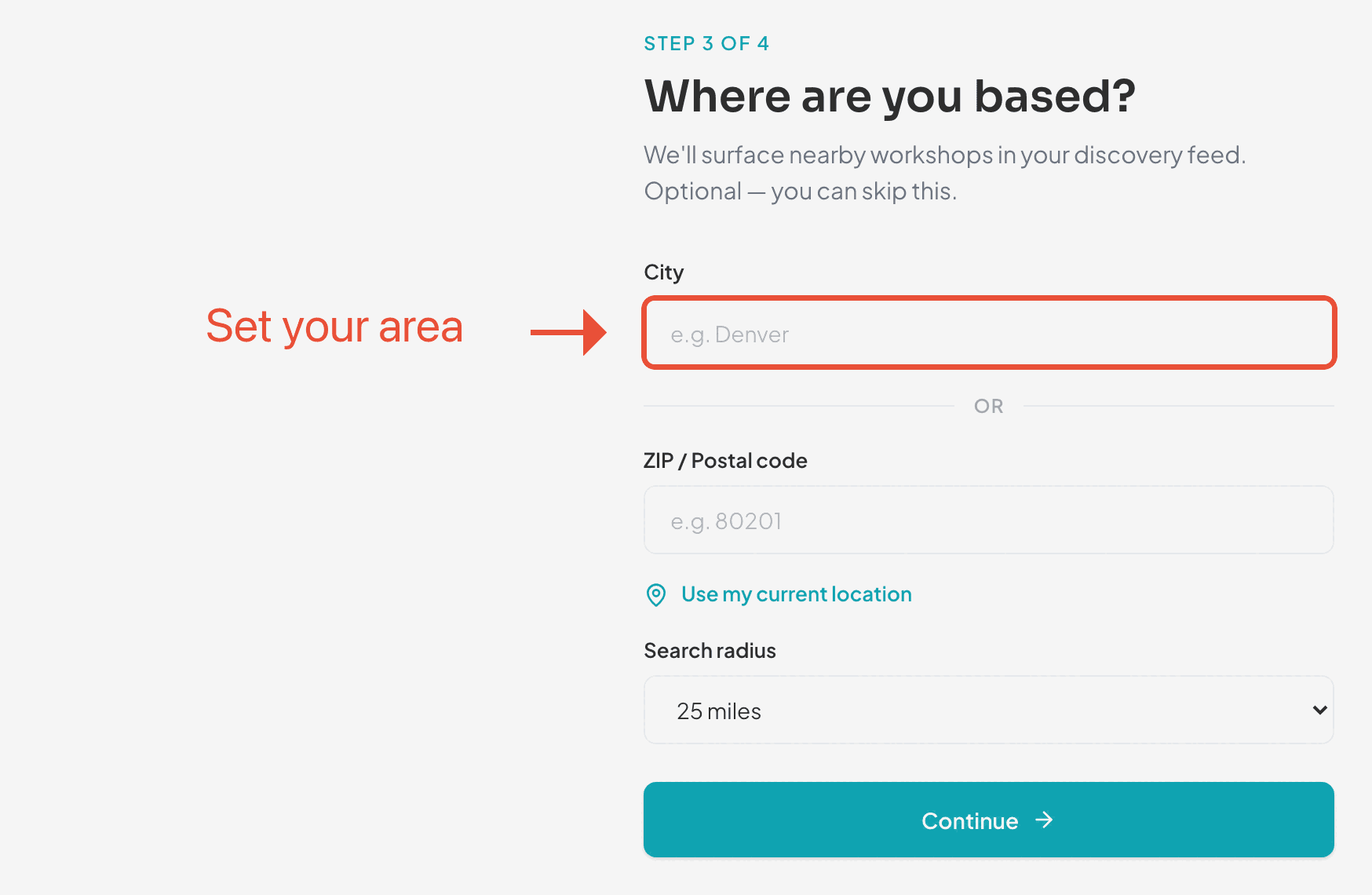
Add your city or ZIP and a search radius so Wayfield can surface in-person workshops near you. It’s optional and you can skip it — but it makes discovery a lot more useful.
Choose your emails
Last, decide what Wayfield emails you. Workshop updates and reminders are on by default (they’re only for workshops you join). The Workshop Discovery Digest — a weekly list of workshops matched to your interests and area — is off until you switch it on. Turn it on if you want new workshops to come to you.
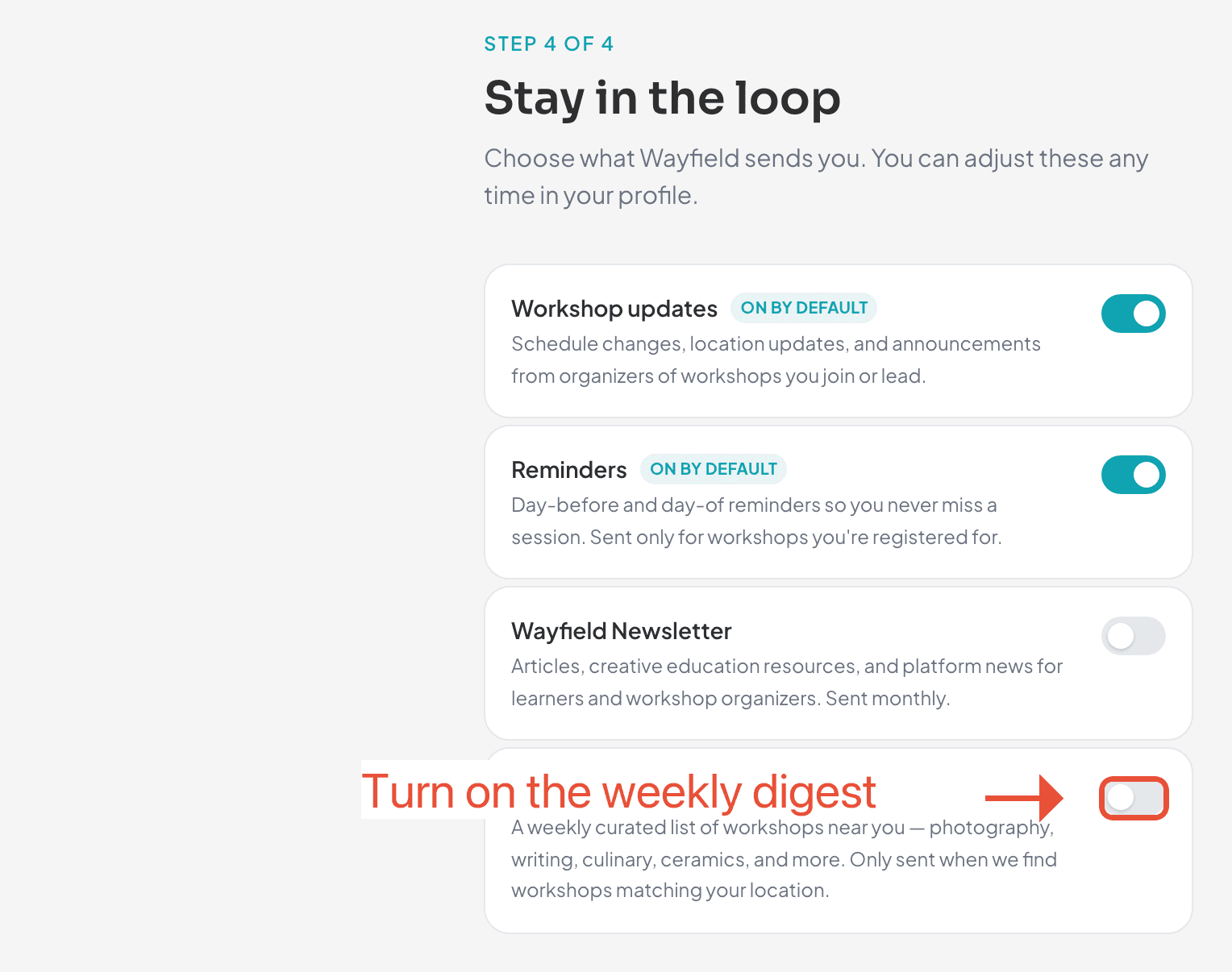
More on the digest in Get the workshop digest.
You’re all set
That’s it — finish setup and you land on Explore, already tuned to your interests and area. From here you can browse and filter, enroll and pay, or join with a code if you signed up in the room.
Changing things later
Ready when you are
Find your next workshop
Browse hands-on workshops near you and reserve a spot in about a minute.